Page and product views
See which pages and products receive recorded visits. Use the event stream to inspect the source, time, and available subscriber identity.
SendMailOS Pixel
Track visits, product views, and cart activity. Use those signals to build audiences from people already subscribed to your emails.
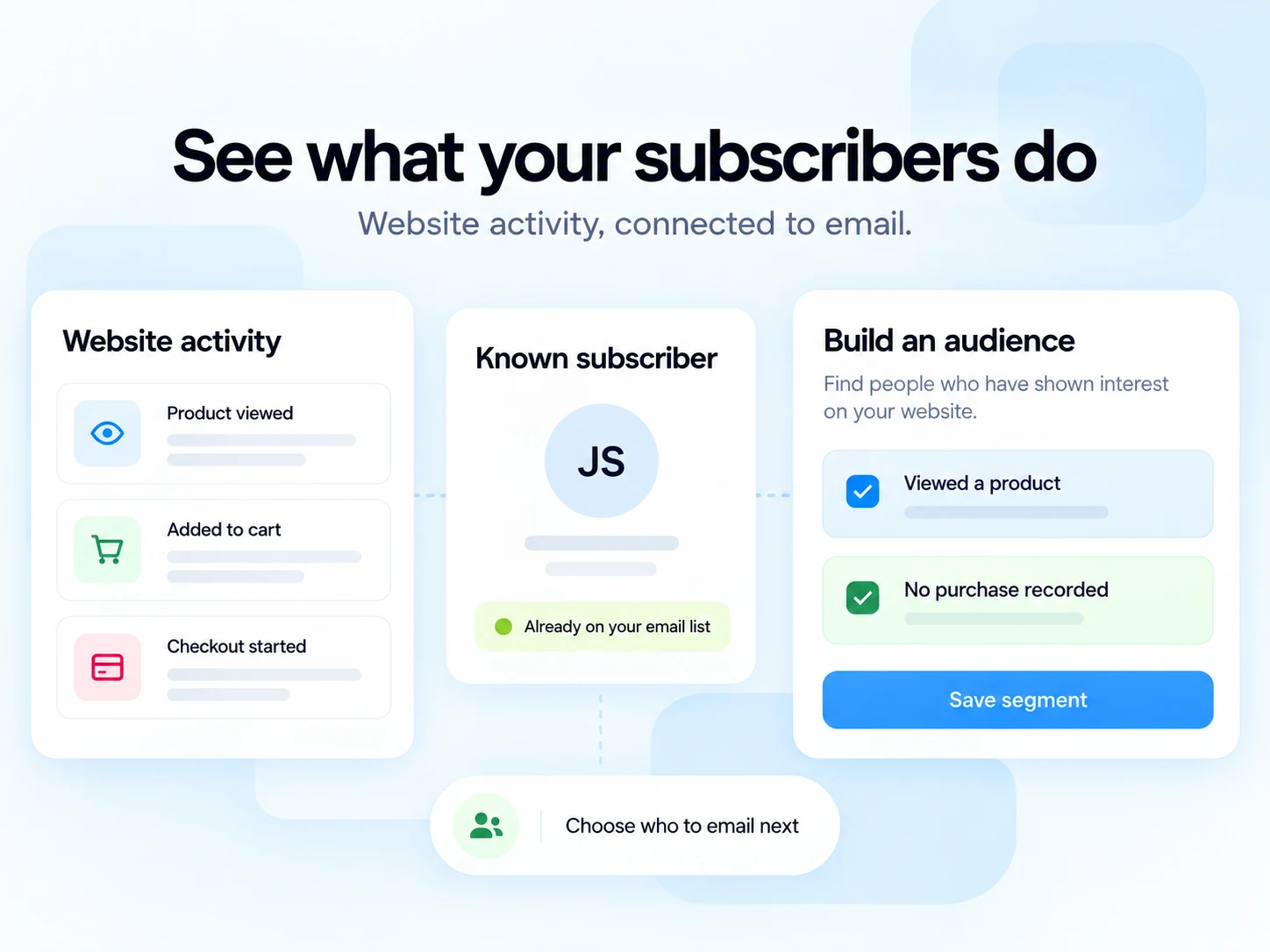
See which pages and products receive recorded visits. Use the event stream to inspect the source, time, and available subscriber identity.
Record product views, items added to a cart, and checkout starts when your website sends the supported events.
Review purchase events, recorded values, and email attribution. Treat browser-reported purchases as signals until an order system confirms payment.
Install one Pixel per domain and connect the events your website supports. Pixel records events your site sends; it does not invent missing carts, checkouts, or purchases.
Find subscribed contacts with repeated product views and no recorded purchase in the selected period.
Review contacts with cart or checkout inactivity and no later purchase signal. A missing browser event does not prove that an order failed.
Use recorded sessions, time on page, interactions, or scroll depth to find contacts showing interest.
Group contacts using recorded purchases, repeat purchases, or a configured spend threshold and currency.
Use recorded recent email clicks together with your audience rules. Recorded opens can include automated activity.
Find previously active visitors or contacts with several sent emails and no recorded recent click.
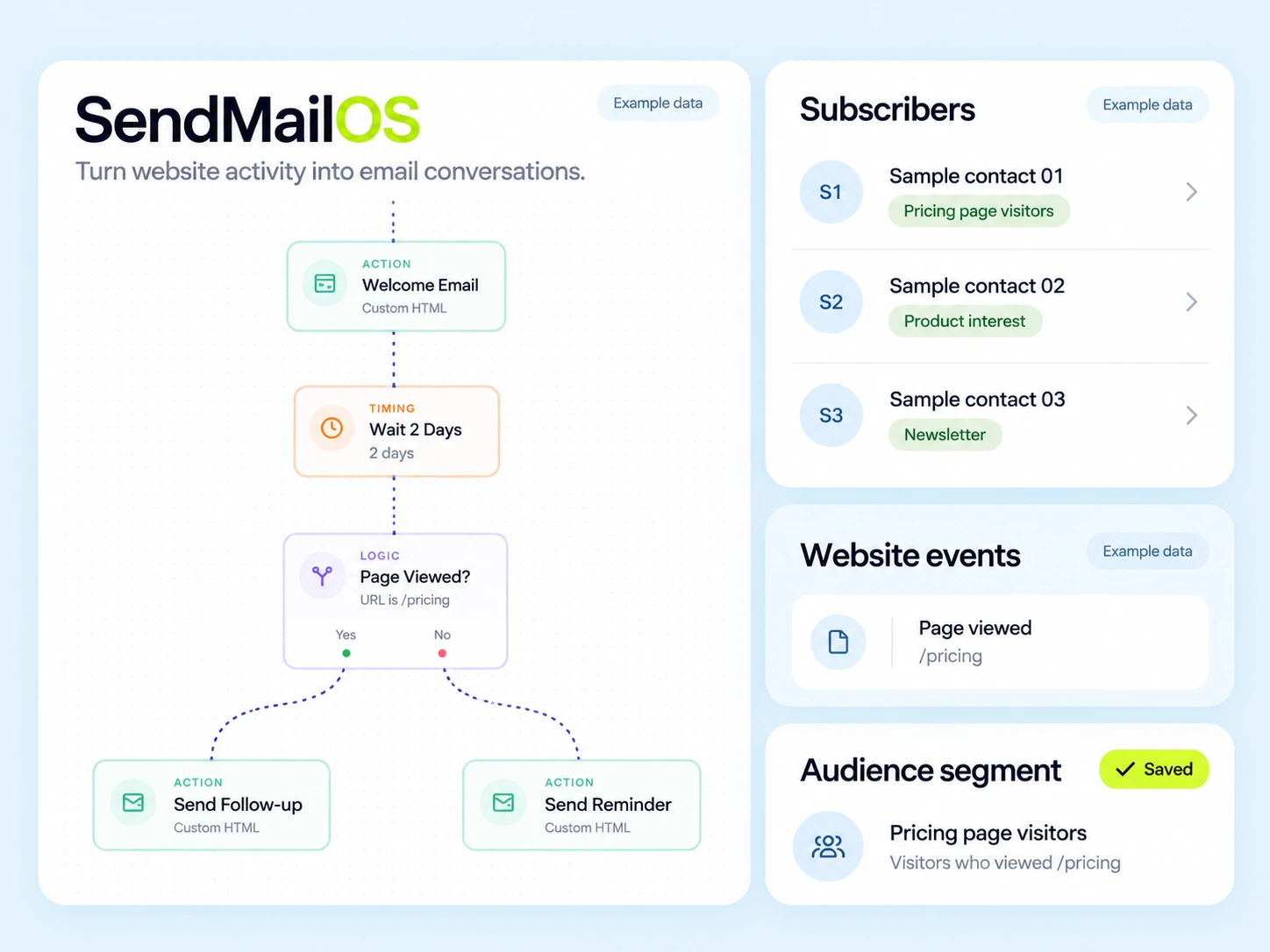
Choose an event, page rule, and time window. Preview matching subscribers and save the rule as a live segment. Saving it does not launch a campaign.
Review total events, unique visitors, known subscriber IDs, top pages, countries, devices, and browsers.
See recorded purchases attributed to email using the configured attribution window. Payment confirmation needs a connected order system.
Review product views, carts, checkouts, purchase reports, email-field events, and form submissions.
Event totals can include repeated actions by the same visitor. They are not a step-by-step conversion funnel. Event ratios compare totals and can exceed 100% when actions repeat.
Open Pixel in your dashboard, add your website domain, and use the installation snippet provided.
Configure consent settings and connect the website events you need. Test the event stream before relying on the data.
Use signed email links to connect visits with existing subscribers. Choose rules and a time window, then review the matching audience.
Website activity and email permission are separate
Pixel does not turn every visitor into someone you can email. Audience segments include eligible subscribed, unsuppressed contacts. A tracked form submission is not a marketing subscription.
Review consent settings, allowed domains, installation health, and recorded events in your dashboard. Configure tracking for the permissions you collect on your website.
1 Pixel, 2,000 active subscribers, and 3,000 hosted emails per billing month.
3 Pixels, 10,000 active subscribers, and 25,000 hosted emails for €12/month.
Growth: 10 Pixels for €39/month. Pro: 50 Pixels for €99/month. All plan limits are public.
No. Anonymous website activity does not create an email subscriber. Signed links in your emails can connect visits with an existing subscriber. Only subscribed, unsuppressed contacts can qualify for email audiences.
No. Saving a rule defines an audience; it does not start a campaign. Review the matching contacts, then separately choose your campaign or workflow.
A live segment reevaluates its rules as activity changes or expires. Applying a tag to a selected audience creates a snapshot; that tag does not disappear just because someone stops matching a rule.
No. Browser-reported purchase events are activity signals. Confirmed payment requires a connected order system. Revenue attributed to email depends on the recorded events and the selected attribution window.
No. Recording an email-field event or form submission does not create a subscriber or confirm marketing consent. Your signup process must handle subscription and permission separately.
Yes. Configure the Pixel’s consent settings and supported consent-manager connection for your website. Install the snippet and test when tracking begins under your chosen settings.
Saved rules refresh in the background. An open preview evaluates current events every minute, including when older activity leaves the selected window. Website rules use the selected Pixel; email activity is organization-wide.
Free includes one Pixel, Starter includes three, Growth includes ten, and Pro includes fifty. Use one Pixel per domain.
Start with one Pixel on the Free plan. Build from real activity recorded on your website.