Create a clear campaign
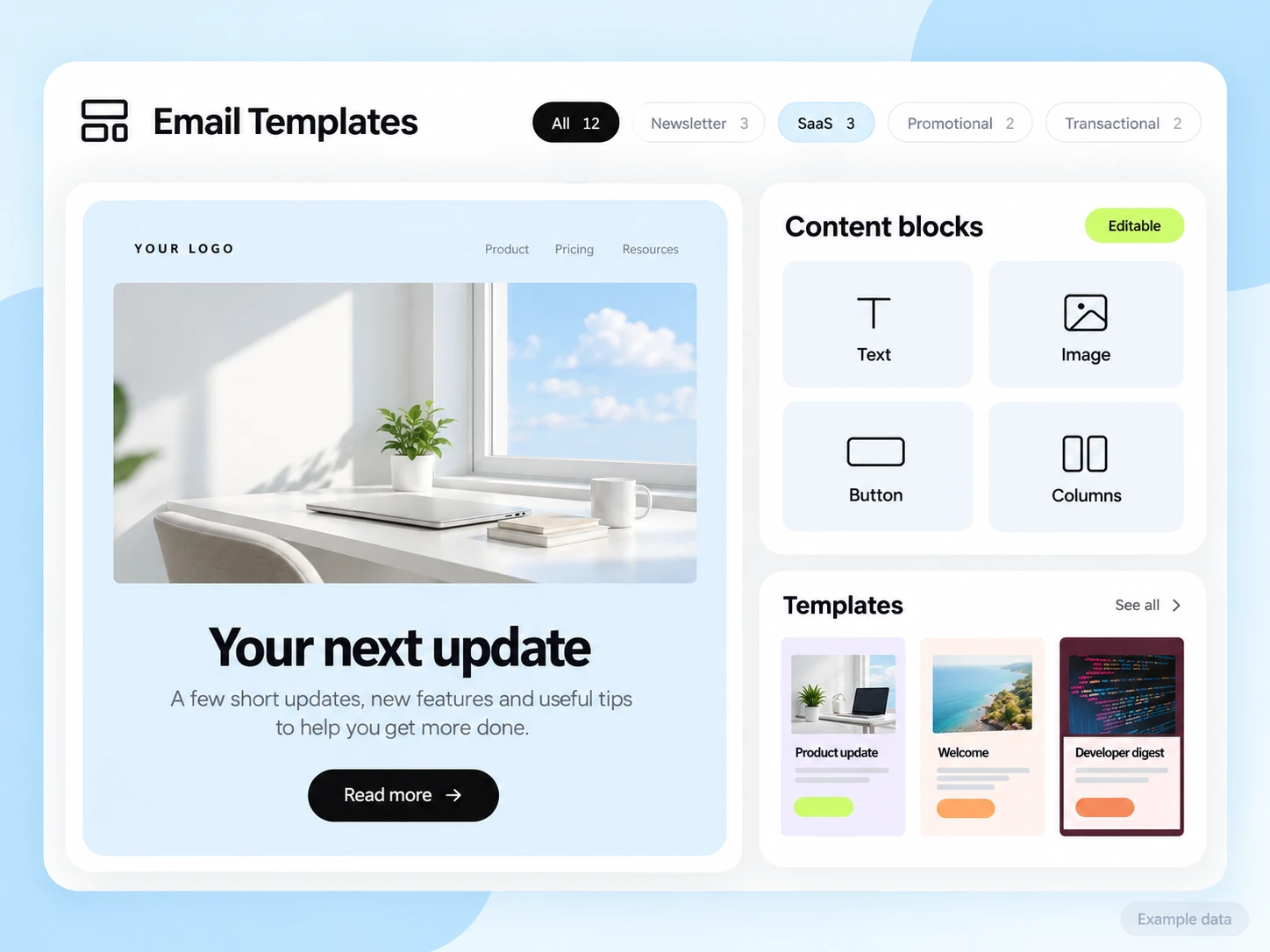
Use an editable template, keep one main message, and give the reader an obvious next step. Explore campaigns.
Email marketing for small businesses
Create newsletters, welcome new subscribers, and answer customer replies. Build a simple email routine your team can keep running.
Choose the action you want someone to take after reading: book an appointment, buy a product, request a quote, register for an event, or reply with a question. Write the email around that action and send it to the people it is relevant to.
A new subscriber and a returning customer usually need different messages. Keep the audience small enough to understand, then use lists, tags, or relevant website activity to make the next send more useful.
Use an editable template, keep one main message, and give the reader an obvious next step. Explore campaigns.
Send a first hello, wait, and follow up with something useful. See email automation.
Group subscribed contacts with lists and tags. Use identified website activity when it adds useful context. Explore audiences.
Make sure the email has somewhere useful to receive a response. Keep the question connected to the message you sent. See the shared inbox.
Your first campaign
Use a subject line that explains the email. Put the most useful information near the top, choose one main action, and make the link easy to tap on a phone.
For a local service, show the service, availability, and booking link. For a shop, show the product, price or offer terms, and where to buy. For an event, show the date, place, and registration link. Check that those details match the destination page.
See the campaign toolsThank someone for joining, explain what they signed up for, and give them one useful resource or next step. Avoid sending the same introduction to existing customers.
Explain what changed, who it helps, and what to do next. Send it to an audience that has a reason to care about the change.
Give registered attendees the time, location, entry details, and a way to ask questions. Keep promotional announcements separate from essential attendee information.
Answer a common question after a signup or enquiry. Stop or change the sequence when someone responds or completes the intended action; validate those conditions in your workflow.
Two announcements to all 500 subscribers use 1,000 email credits. One welcome email to 100 new subscribers uses another 100. Total: 1,100 credits, before tests or other messages.
SendMailOS Free includes 3,000 monthly credits and up to 2,000 subscribed contacts. The example fits those two allowances; feature, domain, and other account limits still apply. Review all published Free limits.
Do not budget only for scheduled newsletters. Every recipient in a welcome sequence adds sends, and application emails may use the same account allowance. Check remaining capacity and reset dates in your dashboard.
Email automation
Start with one sequence: a subscriber joins, receives a welcome, waits, and gets the next helpful message. Keep the sequence short enough to test from beginning to end.
Use a test contact to check the trigger, timing, links, and exit conditions. Prevent the sequence from continuing when someone is no longer eligible for marketing. Only add more paths when the simple journey works.
Explore email automation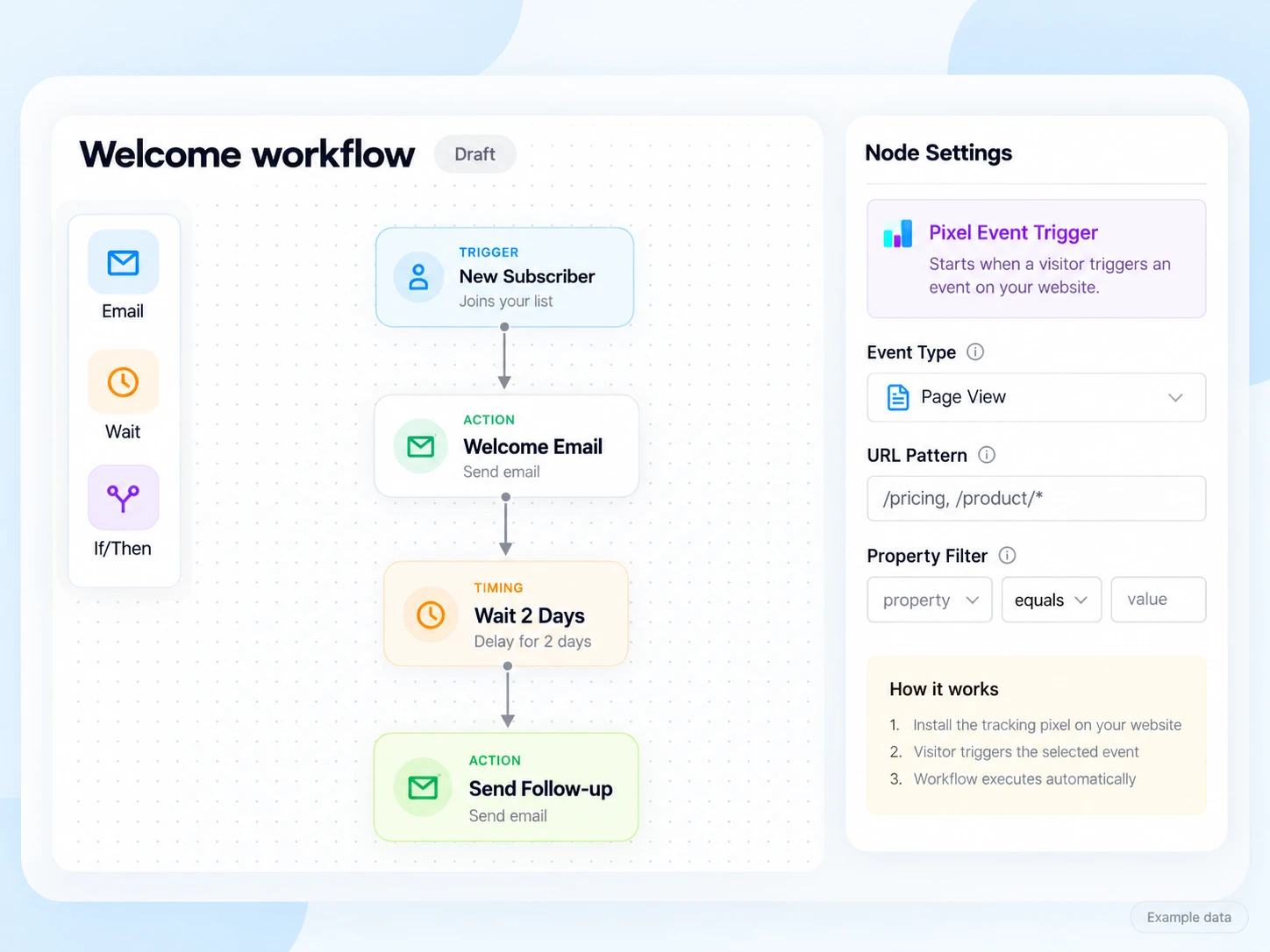
Compare the list size you need now and the number of emails you send. Read daily caps and contact definitions, not only the largest number on a pricing page.
List the events, delays, conditions, and external tools you rely on. Confirm support for each requirement; do not assume a connection exists because both tools have an API.
Decide who answers customer questions and where those conversations should live. Check user permissions and plan limits before bringing the whole team in.
Compare the price for your actual audience and volume, including required extras. SendMailOS publishes Free, Starter (€12/month), Growth (€39/month), and Pro (€99/month), with all plan limits on the pricing page.
Bring contacts who are eligible to receive your marketing. Keep consent history, tags, and unsubscribes. Separate customers who requested a service message from people who subscribed to promotions.
Follow the domain records shown by your provider. Send a test and check sender details, links, the reply address, and the unsubscribe option on a phone.
Announce something concrete: a new service, a restock, an event, or a practical resource. Use one main call to action rather than several unrelated offers.
Decide whether the goal is a reply, booking, purchase, or completed signup. Use opens and clicks as supporting signals, then check the actual action you wanted.
Customer replies
A reply can be the most useful outcome of a campaign. Set a monitored reply path, configure supported reply capture, and test that the conversation reaches the people who should answer it.
SendMailOS Inbox connects supported outgoing messages and incoming replies. Use it to keep the customer’s question with the context your team needs.
See how Inbox works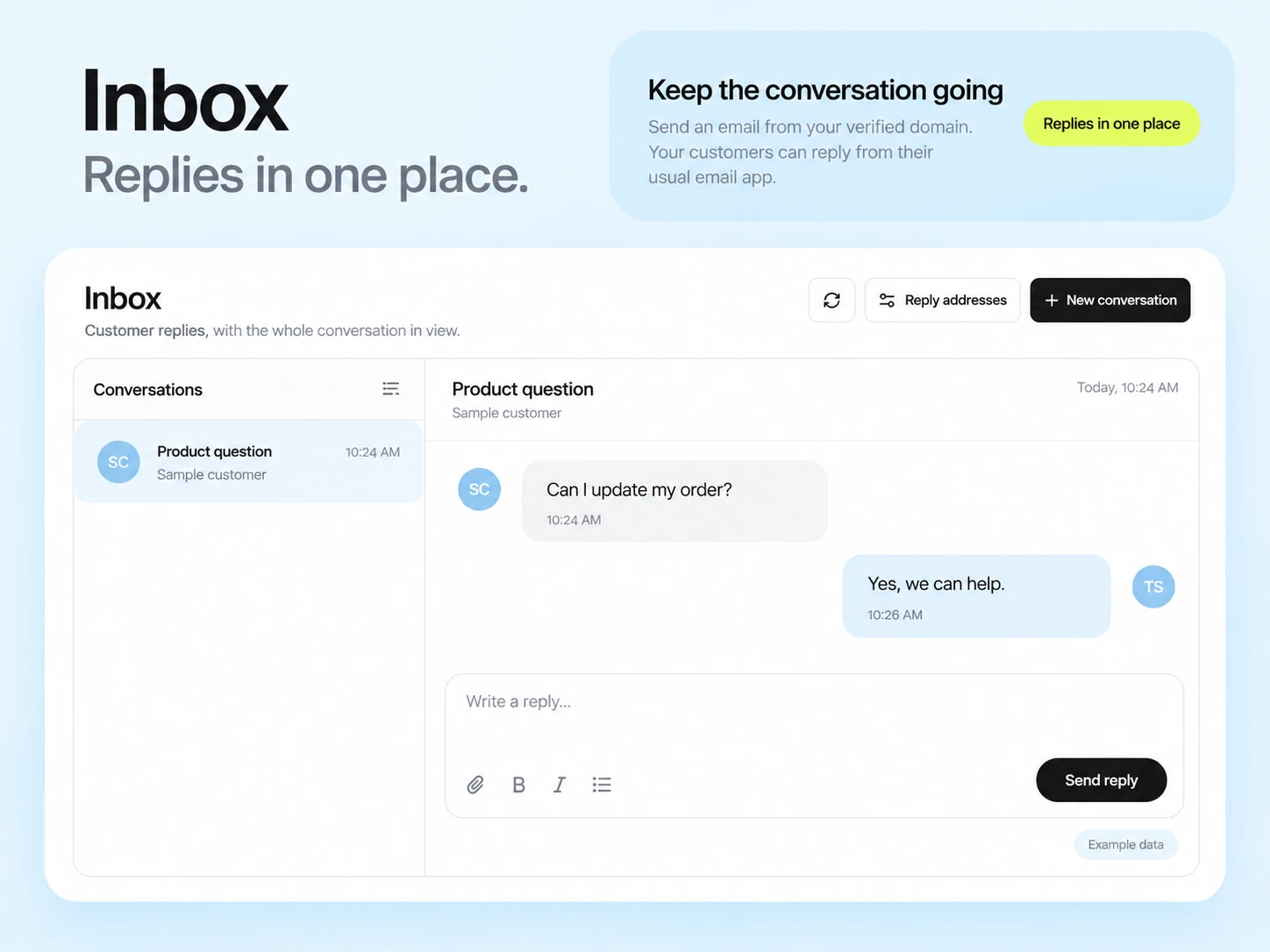
Start with the business goal you chose. For a booking email, review completed bookings. For an enquiry email, review qualified replies. For an online offer, review completed orders rather than assuming every click became a sale.
Use delivery events, clicks, bounces, and unsubscribes to understand the route to that result. Recorded opens can be affected by mailbox privacy features and automated activity. Keep the definition and attribution window consistent between campaigns.
Read the email metrics guideSee examples for ecommerce, travel, events, software, services, and more. These are practical planning scenarios, not claims of customer results.
Explore industry examplesCompare the list size, sending frequency, workflow steps, and tools you already use. If your website or sales process relies on another platform, test that connection before moving. Use the platform comparisons or compare free email plans to build a shortlist.
SendMailOS combines campaigns, visual workflows, audience tools, native replies, and API or SMTP sending. Paid plan prices and entitlements are shown inside the dashboard. Start with the Free allowances and review the next plan against your real needs.
Start with a frequency you can sustain and that matches what subscribers signed up for. One useful campaign is a better starting test than a calendar full of messages without a clear purpose.
The platform supports both. Count their usage together where they use your hosted sending allowance, and keep subscriber preferences appropriate to each message type.
Choose the action the email is meant to produce: a qualified reply, completed order, booking, or signup. Opens and clicks help explain the journey but do not prove a sale. Read the email metrics guide.
Starter at €12/month includes one connected sending server plus 25,000 hosted emails per billing month. Send from your VPS and IP with no platform per-email fee on own-server messages. Your plan, VPS costs, and sending safeguards still apply.
See own-server sending3,000 email credits each month and up to 2,000 subscribed contacts on Free. Other plan limits apply.