A welcome to the shop
Introduce your main product categories and link to a useful buying guide. Start with what the subscriber asked to receive rather than sending every offer at once.
Email for ecommerce
Send product announcements, welcome subscribers, and answer shopping questions. Build an ecommerce email plan around your catalogue and customer data.
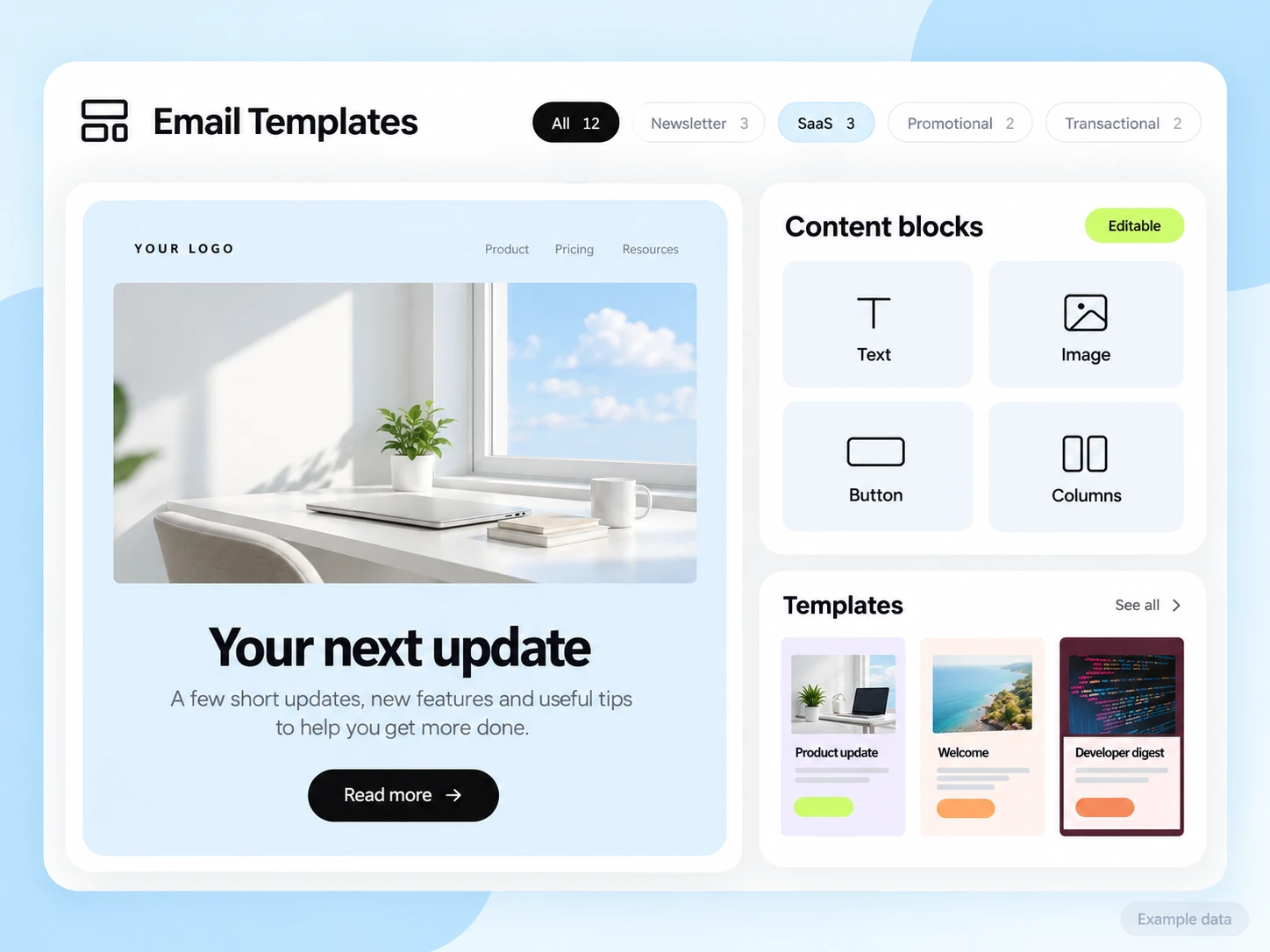
Your shop needs different emails before and after a purchase. Help a new subscriber understand what you sell, show a returning customer something relevant, and keep order messages easy to find.
Separate subscribers who have not bought from customers with a completed order. Use product interests, purchase categories, and the source of the signup when that information is available and appropriate.
Introduce your main product categories and link to a useful buying guide. Start with what the subscriber asked to receive rather than sending every offer at once.
Show the product, price, availability, and a direct link to the current product page. Send it to subscribers interested in that category.
Explain setup, care, or the next step for the item bought. Keep essential order details separate from optional promotional messages.
Illustrative scenario
A shop wants new subscribers to find the right product before receiving a general sale email.
Add a signup-source tag and an optional product-interest field. Keep the marketing preference attached to the contact.
Introduce the relevant category with one link to the guide or collection. Check that stock and prices on the site are current.
Have your store pass a completed-purchase event or update a contact field. Configure and test the integration; do not assume a built-in store connector.
Move buyers to product guidance. Send eligible non-buyers one useful follow-up, and stop marketing messages for unsubscribed contacts.
Example email
Here is a short guide to the differences between our most popular options. Pick the one that fits how you will use it.
Example button: See the buying guide
Adapt the wording, links, and timing to your actual offer and audience. This example does not describe a published customer campaign.
See the email editorYour store remains the source of truth for orders, stock, payments, and purchase status. A developer can connect the required data through supported APIs or events. Validate the data mapping and subscriber permissions before enabling purchase-based paths.
Start with the setup guides and the API and SMTP documentation. Verify the domain, audience, template, and a complete test journey before sending to real contacts. Feature availability and limits depend on the plan.
Track completed orders from the campaign audience and compare them with eligible recipients. Review product-page clicks to understand interest, but do not count a click as a purchase.
Choose an attribution window before sending and keep its definition consistent in your report. Keep unavailable tracking marked as unavailable. The product illustrations on this page use example data and are not a promised or measured result for this industry.
Customer conversations
Use a monitored reply path and configure supported reply capture. Test that a reply stays connected with the right outgoing message, then agree who will answer it.
Keep the customer’s current state in your own source system when it determines what should happen next. A reply and a completed business action are different signals.
Explore customer replies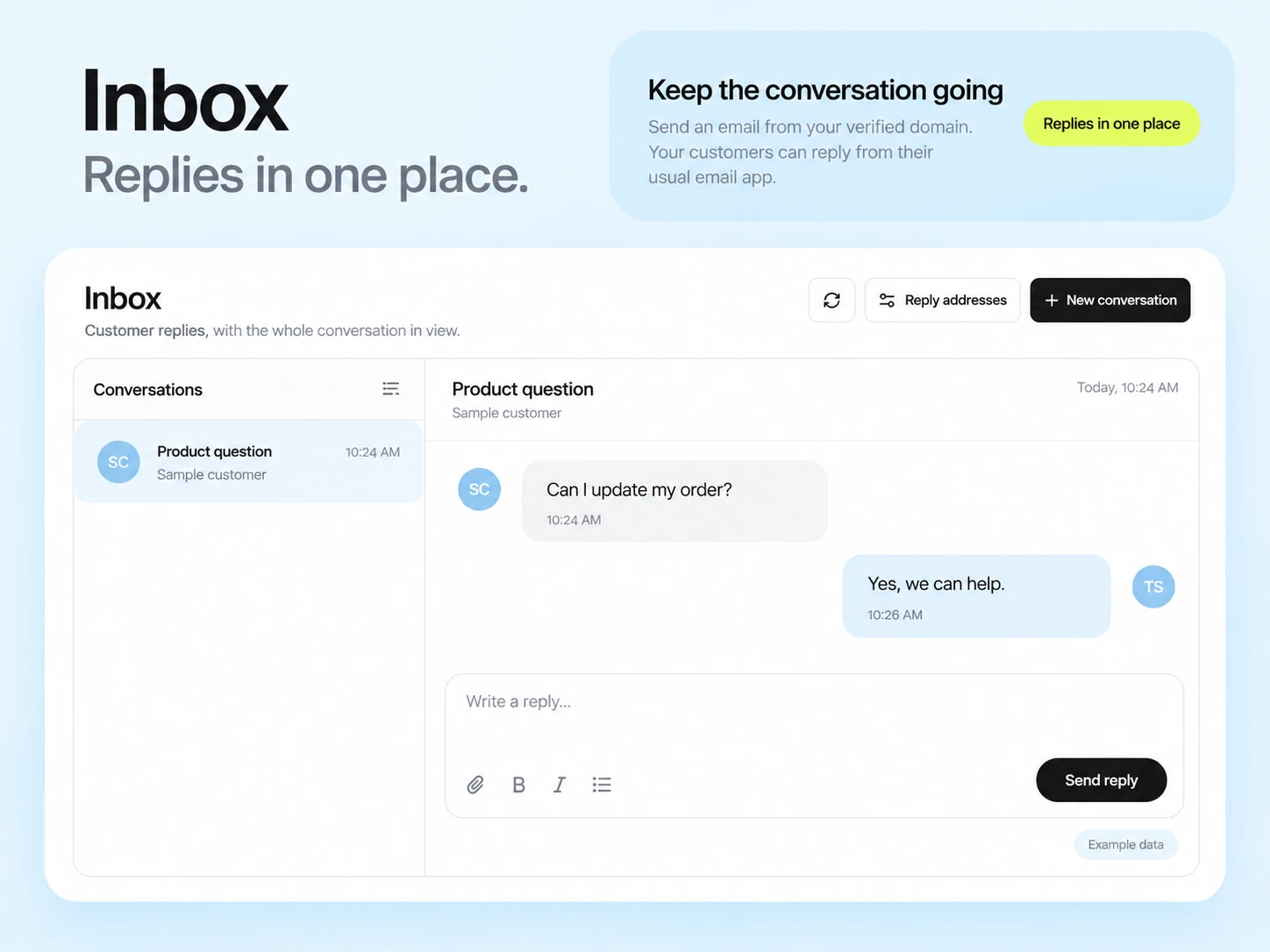
Do not assume a native connector for your store. Confirm the integration you need, or plan a custom connection using the documented API and event capabilities.
SendMailOS supports application email through API or SMTP. Your store or backend must supply the order details and trigger the message. Test receipts and delivery status separately from marketing campaigns.
Example campaign plan
Select current marketing subscribers interested in the product category. Reconcile your store export with exclusions, then import a reviewed email/name/tags CSV. Stock, prices and order status come from your store; a store connection must be configured separately.
Example subject: “Meet the newest addition to your kit.” Show the actual product, two practical benefits and one link to its live product page. Use the product-announcement brief as a starting point.
Test stock, price and link destinations. Compare campaign clicks with confirmed orders in your store over a defined window; a click alone is not a purchase.
3,000 email credits each month and up to 2,000 subscribed contacts on Free. Other plan limits apply.