A supporter update
Share a verified activity update and explain the next piece of work. Use approved images and avoid unsupported impact numbers.
Email for nonprofits
Keep supporters informed, coordinate volunteers, and explain donation campaigns. Build nonprofit email around clear audiences, useful updates, and verified outcomes.
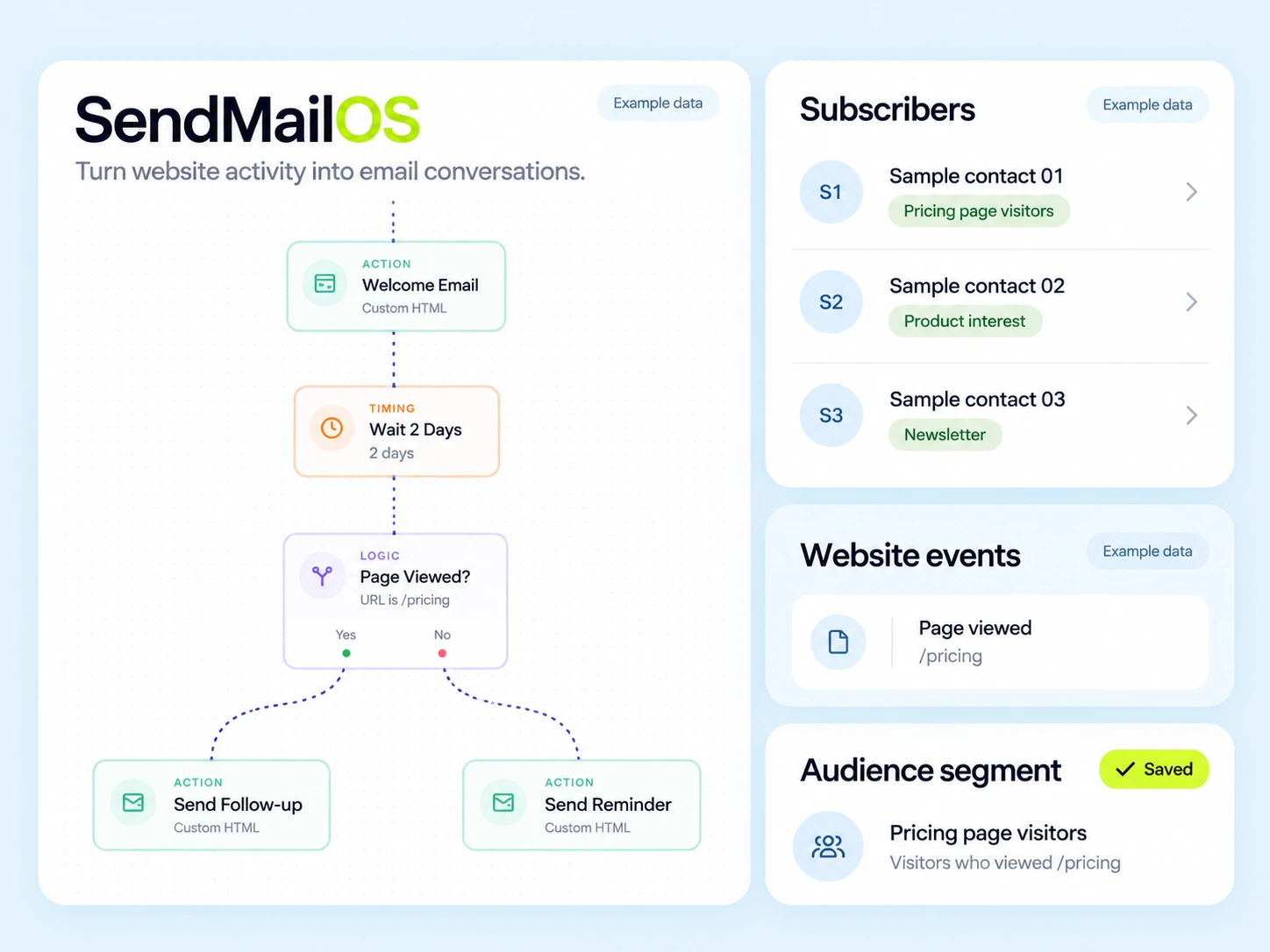
A supporter, volunteer, and donor may all care about the same mission but need different messages. Explain what happened, what help is needed, and how someone can take part without overstating impact.
Use the interests and roles supporters provide: volunteer opportunities, campaign updates, or fundraising news. Keep donation records in the donation system and retain the appropriate communication preferences.
Share a verified activity update and explain the next piece of work. Use approved images and avoid unsupported impact numbers.
State the role, date, location, expectations, and signup route. Follow up with confirmed volunteers using current practical details.
Explain the purpose and link to the official donation page. Keep payment confirmation and receipt details accurate and separate from promotional copy.
Illustrative scenario
A nonprofit wants a volunteer-interest signup to lead to the right opportunity and stop reminders once someone is confirmed.
Record the activity or location the supporter selected and the preference for future updates.
Explain the volunteer role, date, and registration link. Include a way to ask about accessibility or other practical arrangements.
Have your registration process maintain confirmed, cancelled, or waitlisted status. Connect that state before relying on it in automation.
Give confirmed volunteers joining details. Send eligible unconfirmed contacts a relevant reminder only while the opportunity remains available.
Example email
Here is the role, when it takes place, and what support will be available. Use the signup page or reply if you have a practical question.
Example button: View the volunteer opportunity
Adapt the wording, links, and timing to your actual offer and audience. This example does not describe a published customer campaign.
See the email editor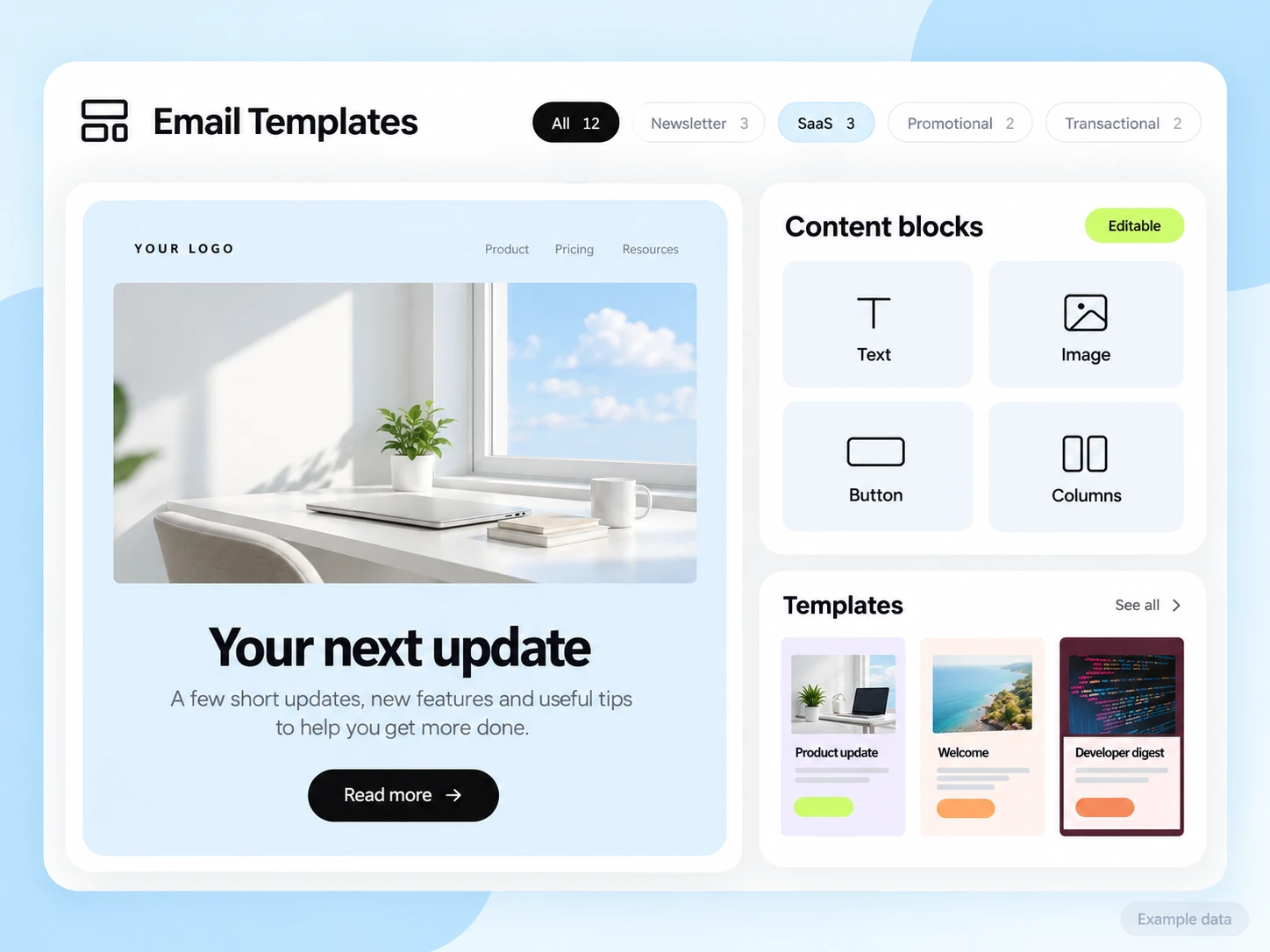
Donation processing, receipts, volunteer registrations, and attendance stay with the systems that record them. Configure an API, SMTP, or event connection where needed. No charitable outcome or fundraising increase is promised by the email workflow.
Start with the setup guides and the API and SMTP documentation. Verify the domain, audience, template, and a complete test journey before sending to real contacts. Feature availability and limits depend on the plan.
Review confirmed volunteer registrations, attendance, or completed donations in the relevant source system. Report fundraising totals with a clear period and treatment of refunds or fees.
Choose an attribution window before sending and keep its definition consistent in your report. Keep unavailable tracking marked as unavailable. The product illustrations on this page use example data and are not a promised or measured result for this industry.
Customer conversations
Use a monitored reply path and configure supported reply capture. Test that a reply stays connected with the right outgoing message, then agree who will answer it.
Keep the customer’s current state in your own source system when it determines what should happen next. A reply and a completed business action are different signals.
Explore customer replies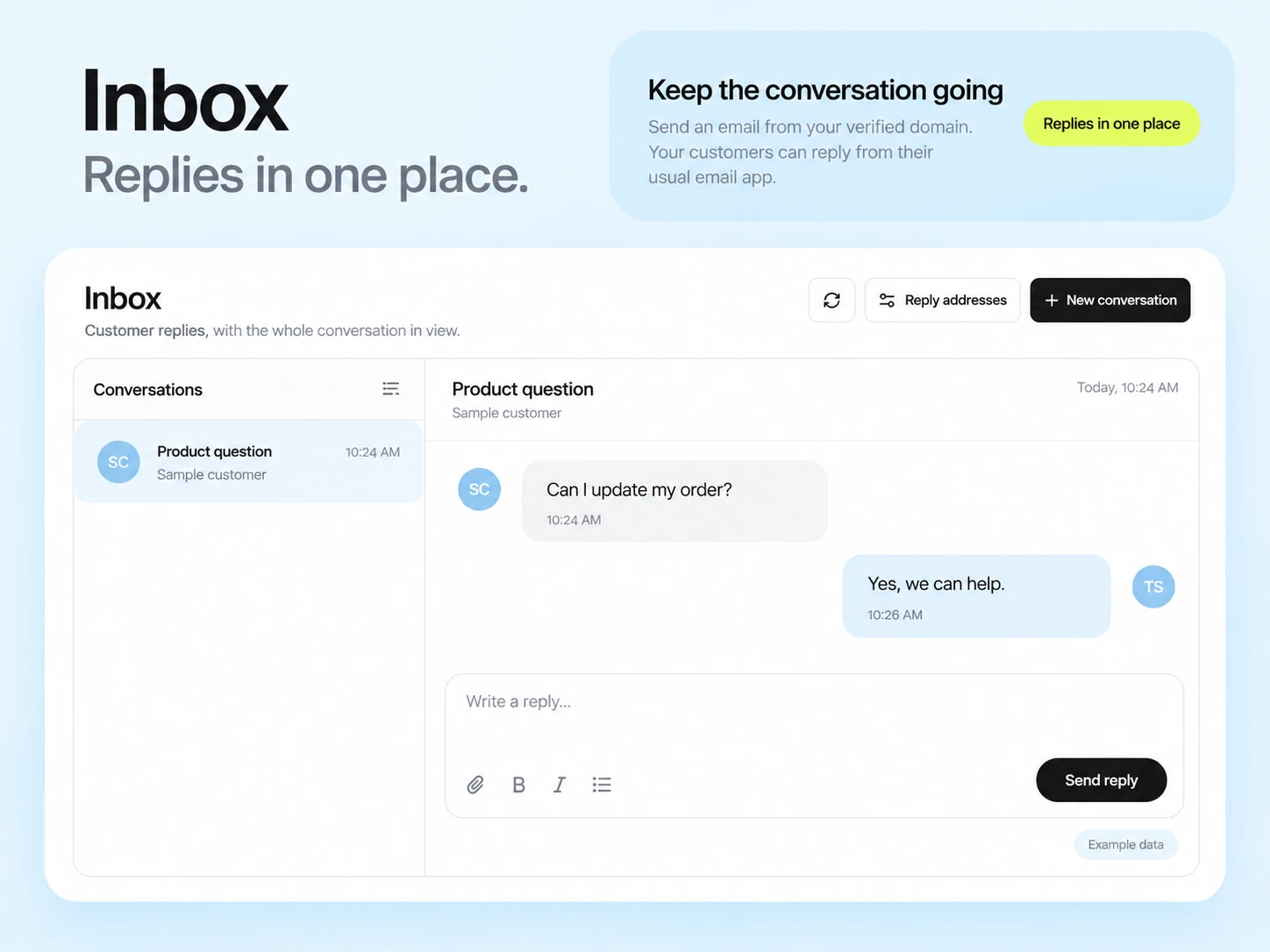
Use the interests and preferences contacts actually supplied. Keep the groups current and provide a clear way to change or end optional marketing updates.
No donation-processing capability is assumed here. Link to your official donation service and connect only the email or reporting data needed for your process.
Example campaign plan
Prepare the audience from your current volunteer roster and confirm the chosen activity, contact preference and exclusions. Keep unrelated fundraising audiences separate. A roster or event export must be reviewed before it becomes an email audience.
Example subject: “What to expect at your first volunteer session.” Include the verified place, time, preparation checklist and coordinator contact. Use the welcome brief and replace all example organization and activity details.
Confirm the coordinator receives replies and verify any resource links. Reconcile actual attendance or confirmed volunteer responses from your own records; avoid presenting campaign clicks as participation.
3,000 email credits each month and up to 2,000 subscribed contacts on Free. Other plan limits apply.